Every November, a lot of local businesses want to say the same thing: thank you. A coffee on the house, ten percent off a meal, a car wash on the house for anyone who served. It's a lovely tradition, and the offer itself is the easy part.
The fiddly part is everything around it. Paper coupons get lost or photocopied. Someone at the counter isn't sure whether that customer already had one. And the sign in the window keeps advertising the deal for weeks after it ended.
A QR code can take care of all three, if you set it up with a little care.
A voucher, not just a link
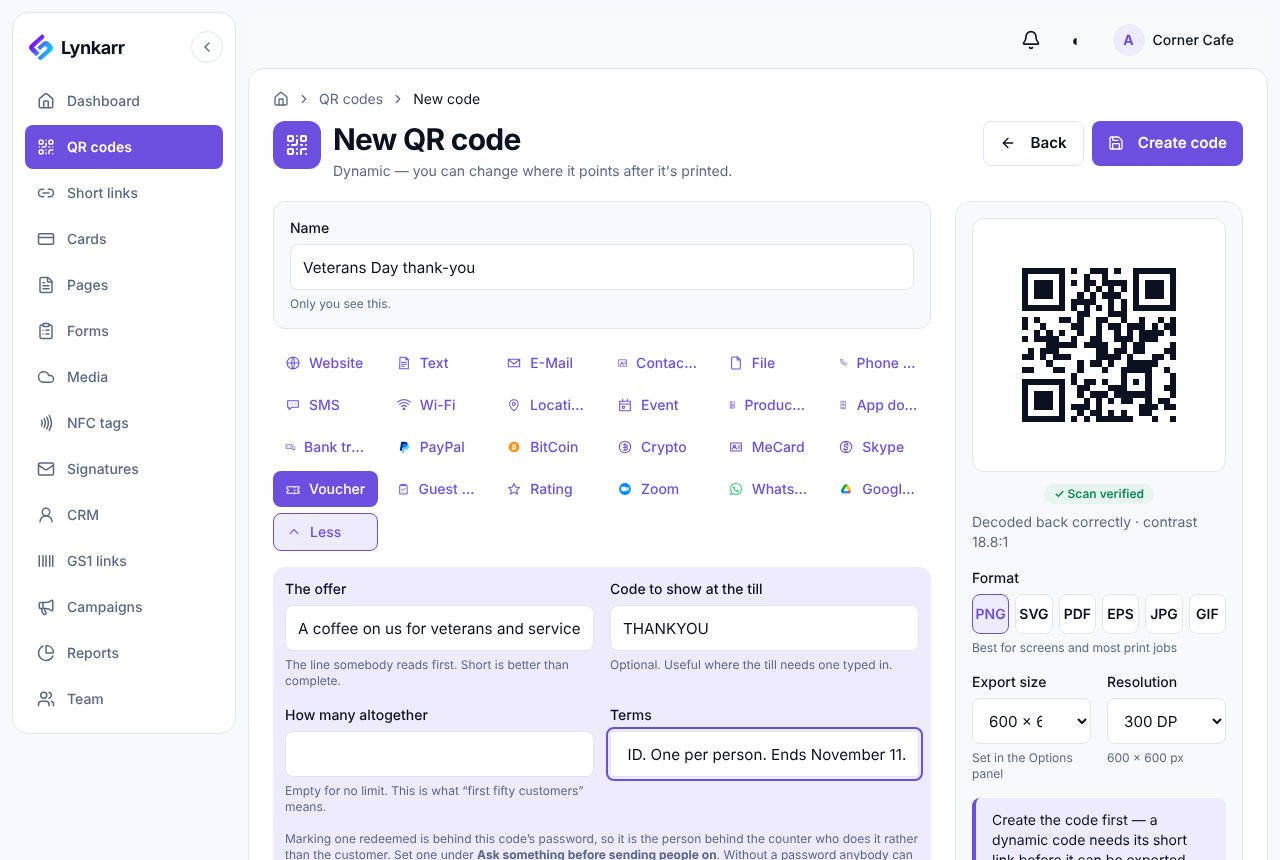
In Lynkarr, a voucher is its own kind of QR code. When someone scans it, they see your offer on a simple page, with a code to show at the till if your register needs one. You write the offer, the terms ("Show your military or veteran ID. One per person.") and, if you like, a cap such as the first fifty customers.
Let your team mark it used
Here's the bit that makes the whole thing work. When a customer shows the voucher, someone behind the counter presses Redeem. Put a password on the code and only your staff can do that, not the customer on their own phone. Without one, anybody could mark their own voucher used, and your numbers would mean nothing.
One each, not fifty in total
"Fifty vouchers" and "one per person" sound alike, but they're very different offers. The first fifty people through the door can use up the first one. For a thank-you, you usually want the second.
The code's settings have a limit of this many scans each. Set it to one and choose how people are told apart: by their browser, which is easy to reset with a private window, or by their network, which is harder to get around but can treat everyone on the same café Wi-Fi as one person.
Let it end on its own
Set the code to stop on November 11 and it does, at midnight, in your account's time zone. Then choose where people go afterwards: your menu, a thank-you page, next month's offer. A sign in a window gets scanned long after the day itself, and this way nobody lands on a dead end.
The password, the one-each limit and the end date are all on the Business plan and up.
See how it went
On the code's analytics page you'll see two numbers side by side: how many vouchers were issued and how many were redeemed. Read them together. Lots of scans and few redemptions suggests the offer wasn't what people hoped for. Few scans but most of them redeemed means a good offer that not enough people saw. As with every Lynkarr code, you'll see how many, from where and on what device, never who.
And next year
When the day is over, the same printed code can point at something new. Keep the sign, change the offer, and say thank you again next November.
From all of us at Lynkarr: thank you to everyone who served.